Technology Lesson Plan

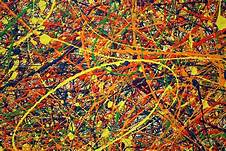
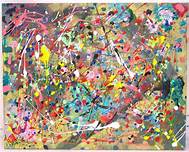
Jackson Pollock and the Art of Blow Painting- An art activity based off of the famous artist Jackson Pollock.

Grade Level: Preschool – Kindergarten

Area of Development: Fine Motor Skills

NJ Early Childhood Standard: Standard 1.4- Children express themselves through and develop an appreciation of the visual arts (e.g. painting, sculpting, and drawing)

Goal- Students will participate in an activity based off on the painting style of Jackson Pollock.

Objectives-

  • Students will be able to demonstrate their knowledge of Jackson Pollock by painting in a similar style to him.
  • Students will be able to apply the information that they have seen and heard about Jackson Pollock from the animated video and blow around tempera paint in order to recreate Pollock’s infamous splatter style.

Materials Needed- Various colored tempera paint, painting smocks, white paper, straws, water, WiFi, projector, YouTube, and the animated video on Jackson Pollock (https://www.youtube.com/watch?v=aSYo-98fO1Y)

Procedures-

  1. Begin with showing the animated video on Jackson Pollock to the students using a projector screen and computer.
  2. Talk about the information that was discussed in the video with the students.
  3. Sit all of the students down in small groups.
  4. Hand out paper and straws. Assign each student to their own straw. Give out a different color straw to ever student student sitting at each specific table.
  5. Mix tempera paint with a ratio of 1:3, water to paint. Mixing the paint with water will help thin out the consistency of the paint, making it easier for the younger students to blow the paint around using their straw.
  6. Explain how to blow air out of a straw, not to sip in! Demonstrate the activity by blowing around paint on a sheet of paper, making sure to put emphasis on blowing out of the straw not sucking in. KEEP A CLOSE EYE ON YOUNGER STUDENTS MAKING SURE TO MONITOR THIS ACTIVITY VERY CLOSELY.

How Technology Will Be Used: Technology will be used in this activity through the video that will be shown via Youtube.com. The video will allow the students to receive a visual aid of Jackson Pollock’s work as well as expose them to technology through the computer and projector screen.

How This Lesson Will Be Evaluated: The students will be evaluated based off of their understanding of who Jackson Pollock was and their ability to recreate and recognize his iconic splatter painting style.

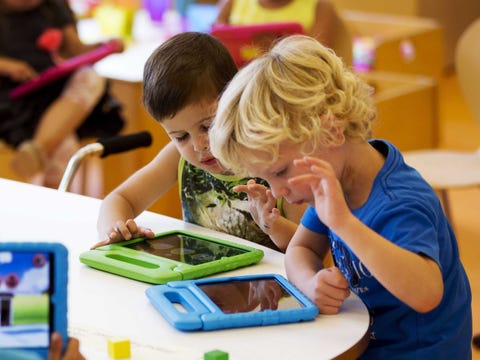
Funding Education

There are many websites on the internet that offer scholarships and grants to teachers to help fund their classrooms and expand their potential as teachers in a classroom setting. Some of these websites include http://www.getedfunding.com/ and https://teach.com/what/teachers-change-lives/grants-for-teachers/ which include a variety of scholarships and grants that teachers can apply for.

The McCarthey Dressman Edcuation Foundation (https://mccartheydressman.org/teacher-development-grants/) offer grants that work towards enriching the classroom experience for children. Their biggest goal is to make every classroom more innovative by incorporating technology into the classroom and educating young students about the importance of technology in the modern world. If I received this grant I would use it to create an iPad tech station in my classroom. This will allow my students to have the opportunity to become familiar with and discovery technology through educational activities on the iPads.

Another grant that I found that I thought would be useful for my classroom is the Elmer’s Teacher Tool Kit Grant from The Kids in Need Foundation (https://kidsinneedfoundation.submittable.com/submit.) This grant offers free school supplies for any students in need and also to classrooms who are limited to their resources due to lack of funding within their school district. If I got this grant, I would first make sure that every one of my students had an appropriate amount of materials for their schooling. Then I would make sure that my class had a well stocked art area where the students could be free to be as creative as they want to be. Creativity is very important to me so I want to make sue that my students have the ability to be creativity free while in the classroom.

All over the internet, there are grants for teachers to find funding. One of them is https://www.teacher.org/scholarships-grants/ which provides links to a variety of different grants and scholarships for teachers. They categorize their website by the specific level that the teacher may teacher or subject that the teacher may teach. They even offer grants for college professors. The site is very organized and I think that it can be very helpful for many teachers. Another website where teachers can find grants is http://www.grantsforteachers.com/Grades/Elementary-School-Grants/Grade_Elementary.aspx. This website breaks down each category even further then the last website. They have categories depending on whether or not the teacher is looking for classroom funding, school district funding, or even the library at their specific school. This can be very helpful for any teachers or school districts looking for grants that are more specific.

Khan Academy

Khan Academy is an academic site directed towards students and teachers. The site offers guided instructional videos and practice for a variety of different subjects and subject areas. The content ranges from the preschool level to college level subject matter. This site is a great tool for teachers because teachers can use the activities and videos on the site as supplementary sources to aid their lessons and help students who may need the topic explained in more detail.

I plan on teaching preschool through second grade so I found three lessons that I felt would be very helpful to use in my classroom or that my students parents can use to help the students with a specific topic outside of the classroom.

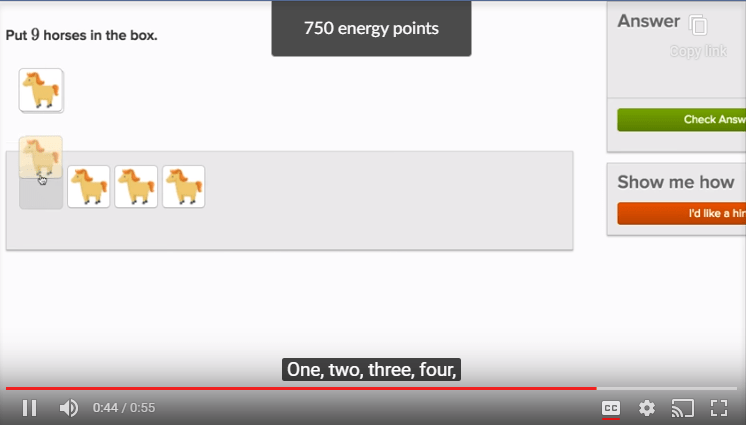
  1. Counting With Small Numbers: This video was a visual example of how to complete the upcoming activity. It showcased numbers written as well as numbers represented by objects such as horses. This can help a younger student around the preschool to kindergarten level if they are having issues with counting or number recognition.
https://www.khanacademy.org/math/cc-kindergarten-math/cc-kindergarten-counting/kindergarten-counting/v/counting-with-small-numbers

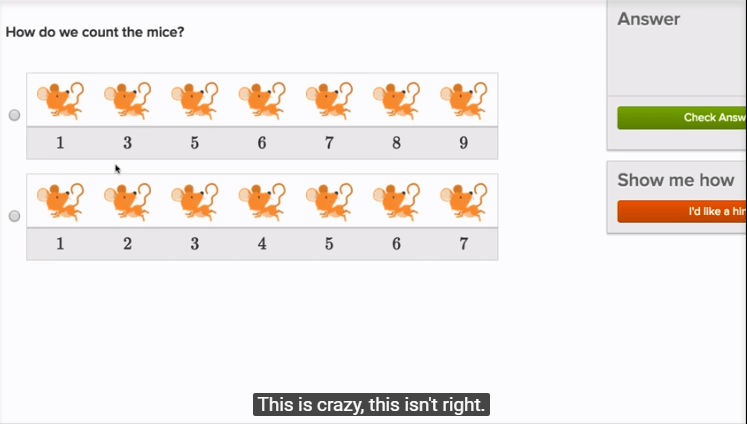
2. Counting In Order: I felt that this lesson was very helpful especially for children who are younger because I have seen the children at the daycare that I work at really struggle with the order of numbers. It is actually the most common issue that I see while working with younger children. In the video the person doing the voice over speaks clearly as he recites each number and says whether or not an order of numbers looks weird or incorrect.

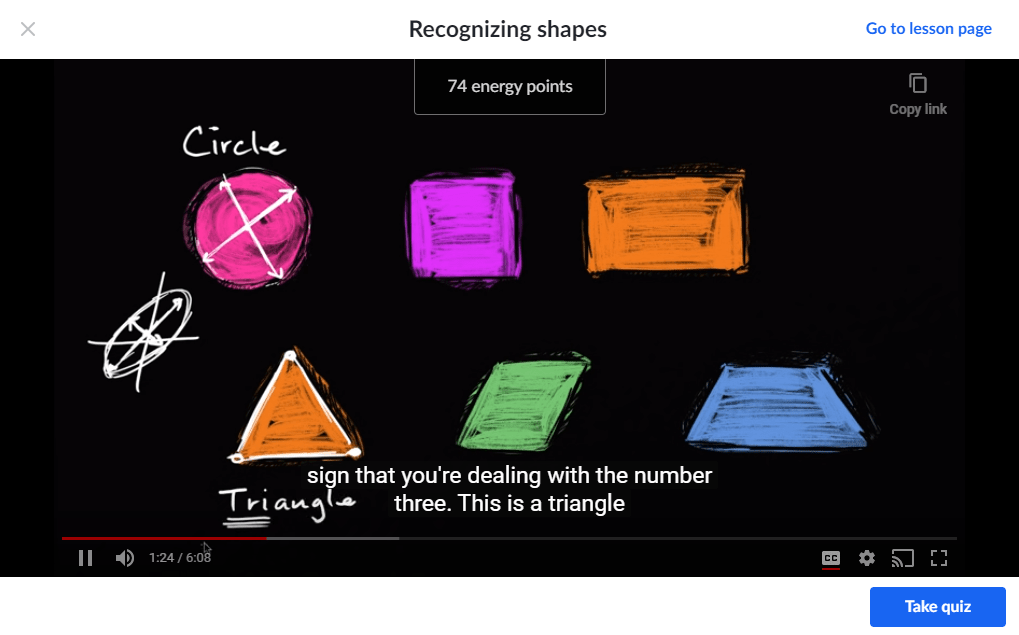
3. Recognizing Shapes: I can picture this lesson to be very helpful for students who are a little older, in either first or second grade. This lesson focuses on recognizing and identifying different shapes. The person doing the lesson, makes the information very easy to understand for younger students and he makes the lesson very easy and simple to follow. I believe that this is a great video to use as supplementary material for a lesson on shapes.

https://www.khanacademy.org/math/cc-kindergarten-math/cc-kindergarten-geometry/kindergarten-shapes/v/recognizing-shapes

A New Globe

To begin this assignment, I had to download Google Earth Pro. This was a pretty cool experience for me because when I was younger I used to love to play around with Google Earth. Using Google Earth Pro was a different experience though. It was a lot more complicated but it was lots of fun to use none the less.

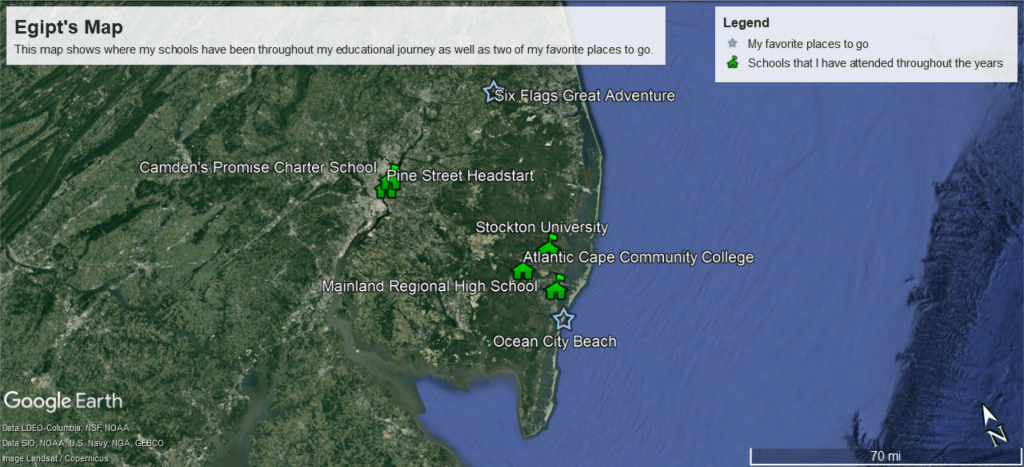
In the photo above, I have listed the schools that I have attended in the past as well as two of my favorite places to go. I listed Pine Street Head-start, which is the preschool that I attended as a child. I also included Camden’s Promise Charter School, which was the middle school that I attended. This particular place means a lot to me because it reminds me of where I came from and where I grew up. Next up, I added my high school Mainland Regional, which I attended after moving to Somers Point five years ago. I added Atlantic Cape because it is where I am currently attending. I added Stockton University because I am planning on going there after graduating from Atlantic Cape in May.

My two favorite places that I decided to add is the Ocean City Beach and Six Flags Great Adventure. I have had so many good experiences and memories from these two locations that I felt it was important for me to add them to my map.

Worksheets

Worksheets are an excellent teaching and learning resources for students and teachers of all different grade levels. Worksheets are great ways to assess growth and progress in a student’s learning because it shows the teacher what the student knows and does not know, and what each specific student should get more practice with. Worksheets benefit students because they promote fine motor skills and a higher level of thinking and concentration. The negative effects of using worksheets could be that if a teacher uses a worksheet that is not age appropriate for the students in that specific grade, the children may become frustrated and think less of their abilities because they are unable to complete the task.

I created two worksheets that I feel would work best for the grade level that I am interested in teaching (Preschool- First Grade):

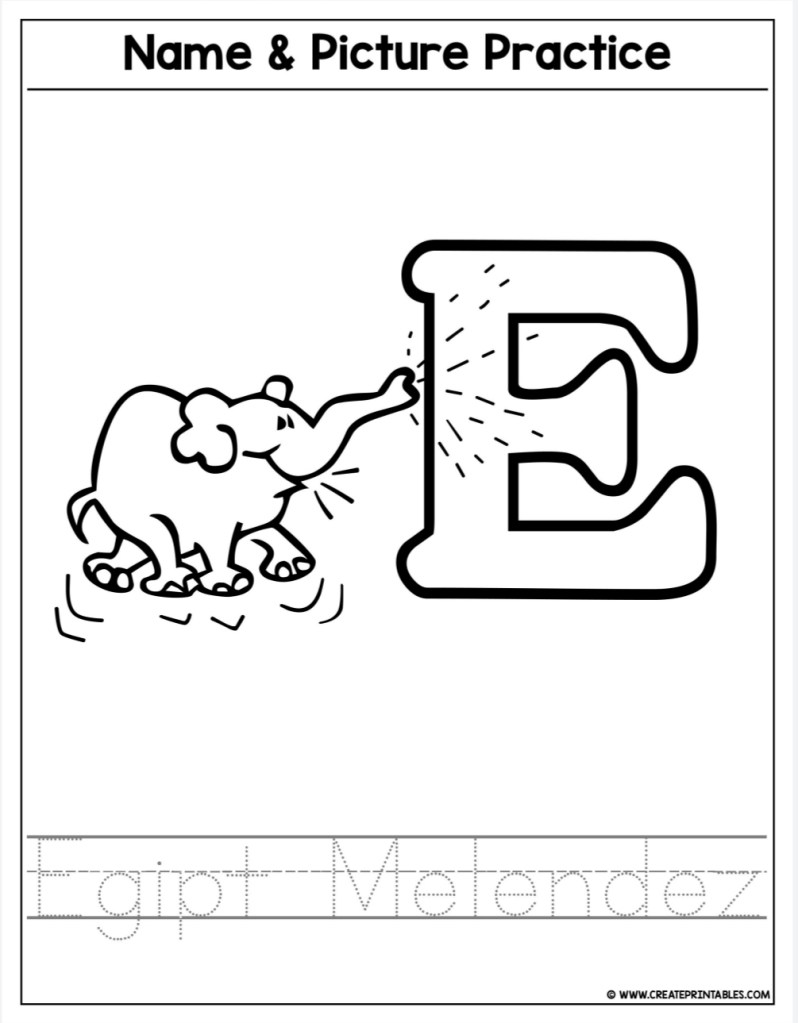
The first worksheet I created focuses on tracing names and recognizing animals that start with the same letter of the child’s first name. For the example above, I used my name. I really liked this worksheet compared to other name tracing worksheets because it requires the students to trace the letters of the first name as well as their second name. This gives the students an opportunity to become familiar with other letters as well as recognizing their own name when it is presented in front of them. I created this worksheet on the website http://www.createprintables.com. It required me to choose the type of worksheet that I wanted to create. It then proceeded to ask me for the name of the student, in which I used my own name. It gave me a few different options for the picture that appeared above the name tracing. the process was very fun and I liked how it allowed me to customize the worksheet to exactly how I liked it.

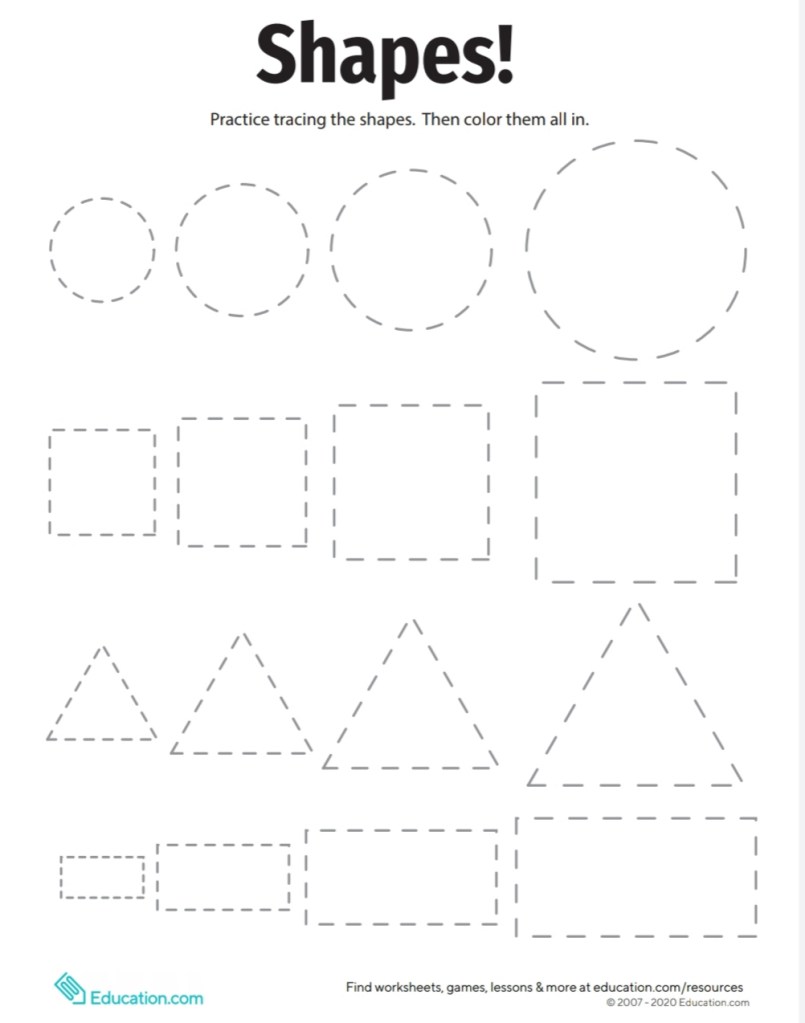
The second worksheet that I created focuses on shapes. I used the website http://education.com to create my worksheet. I think that shape recognition is extremely important for preschoolers and kindergartners so I felt that this was a necessary worksheet to include. I feel like this worksheet will be great for younger students because they really enjoy the satisfaction of knowing the names of different shapes and it also helps them recognize how to draw each shape as well as drawing the shapes in different sizes.

Personal Learning Network

A Personal Learning Network, PNL for short, is an organization or group of educators where they can communicate and keep up to date with everything that is going on in the world of teaching. Within the PNL community educators are able to communicate with one another and share and discuss their own teaching experiences and well as things that they have learned along the way. PNLs are very important for educators because they make sure that they are up to date with everything that is going on and it is a great way for teachers to get in touch with other teaching professionals in their field.

The internet is a great place to find professional organisations that can benefit anyone going in to the elementary education field. These are the five that I felt would be most beneficial for me:

  1. Computer-Using Educators (https://cue.org/) is an organization that offers training opportunities for any teachers interested in learning more about implementing technology into their classrooms. Technology is increasing it’s presence in early education classrooms, so i is important for teachers to know how to use the newest technology.
  2. National Association of Elementary School Principals (NAESP) (https://www.naesp.org/) is an organization of teachers who share their devotion to their students and the responsibilities that early childhood educators have in the classroom.
  3. The Association for Supervisors and Curriculum Development (http://www.ascd.org) is an organization of professional in the elementary education fields who specialize in making improvements of teaching skills, curriculum planning, and educating educators on new findings within early childhood education.
  4. ASCD Learn, Teach, Read (http://www.ascd.org) is an organization of teachers who ensure that every student across the country is healthy, fed, safe, engaged in learning, supported, and challenged.
  5. The Association of American Educators (https://www.aaeteachers.org/) is and organization that dedicated their time and efforts in making sure that every teacher knows about the current breakthroughs within the field, masters their techniques and teaching styles, and supports as well as challenges every single one of their students.

On the internet you can also find several different blogs and websites dedicated to integrating technology into the classroom. These are some of the ones that I found:

  1. The Innovative Educator (https://theinnovativeeducator.blogspot.com/) is a blog ran by  Lisa Nielson where she gives educators ideas and tips on how to implement technology into he classroom. she also talks about how to make technology more fun and engaging for the students in the classroom.
  2. The EdTech Round Up (http://www.edtechroundup.org/) is a website that gives teachers the best news and updates in technology regarding technology. It makes sure that all teachers are up to date on how technology should be introduced into the classroom and how to keep it interesting to the students.
  3. Edutopia (https://www.edutopia.org/) is a website dedicated to providing teachers with valuable tools and add ons that they can use in their classroom when implementing technology. There are several different categories for teaches to choose from, ranging from class activities to quizzes and tests to even internet quests and technical games for the students to engage in.
  4. My Paperless Classroom (http://www.mypaperlessclassroom.com/) is a blog ran by Sam Patterson, K-5 tech integration specialist, where he talks about his past experience with implementing technology into his classroom and the effects that it had on his students. He talks about what worked for him and things that he believes that he could have improved on to make the experience better for the students.
  5. Free Technology 4 Teachers (https://www.freetech4teachers.com/) is a blog that is ran by  Richard Byrne, that provides teachers with several different app s and websites that they can use to make implementing technology more successful within their classrooms. There are several different sites listed on the blog that students will enjoy because the sites are based around game and interactive activities to make the experience interesting for students.

There are several different organizations that offer informational workshops for teachers. I have found three that are at max a two hour drive away from Mays Landing, New Jersey. These workshops listed below are all technology based:

  1. Genesis Learning (http://www.genlrn.com/professional-development/) is an organization based in Cranford, New Jersey that focuses on furthering the education and knowledge of today’s teachers. They offer a STEM program for teachers that furthers teacher’s knowledge on new and improved technology and advances in the technology. This program is very flexible in the sense that the organization even offers to go to the teacher’s school in order to have the workshop and the also hold workshops at schools located in Cranford, New Jersey.
  2. EdTechTeam (https://www.edtechteam.com/pd/) is an organization based solely around educating teachers on how to transform their classroom by incorporating technology into their classrooms. They offer summits and “boot camps” that encourage teachers to add technology into their daily routines. Their summits and workshops work to make teachers more comfortable with the idea of using technology more often and they also work to make sure that the teachers understand how to properly use each application to minimize the amount of frustration caused by misunderstandings. EdTechTeam is very flexible and can bring events to different places if they are not offering an event in a certain area at that point in time.
  3. The NJ Association of Administrators (https://www.njasa.net/domain/205) provide a workshop called Techspo ’20 that encourages teachers from all over New Jersey to come to the workshop to learn about the new advances in technology over the years and learn how to properly use new versions of technology. They aim to keep New Jersey teachers educated on everything new that is going on in terms of technology.

Visual Learner

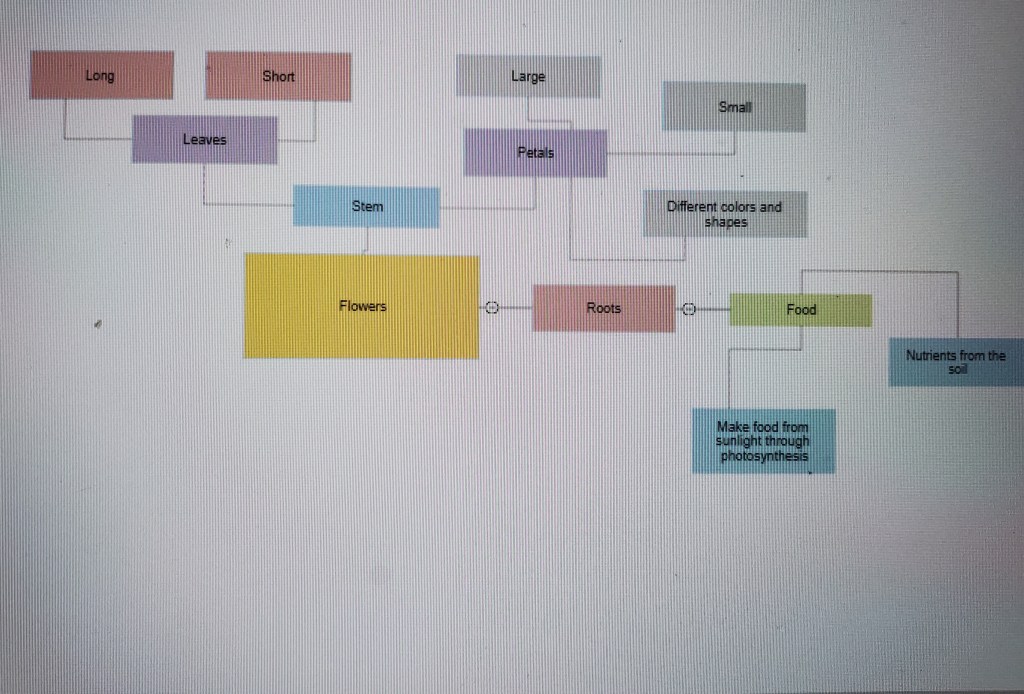
Concept maps are visual representations of preexisting knowledge. They are a good way to display information that the students know and they especially benefit students who are visual learners because of the simplicity of the content and the way that it is delivered. I decided on the topic of flowers because at the daycare where I work, the students adore flowers and flow talking about them. I sat down a group of six students to help me brainstorm all of the information that they already knew about flowers. They had a lot of fun sharing what they knew with one another and they really enjoyed how they had a physical organizer to view everything that the students knew about flowers. I feel like this is a great activity to do with younger children because they will enjoy collaborating with their classmates and bonding over similar knowledge that they all may have on a specific topic. I used creately.com to create my organizer.

Webquest Evaluation

photo by Green Tree Public Library

A webquest is a lesson format in which almost all of the information students get for the assignment is found on the internet. They allow students to become more familiar with the internet and how it works in order for them to gain a better understanding of technology. I have found three different webquests that I feel will be perfect to use in my first grade classroom.

The first webquest is based off of plant life cycles and the parts of a plant. The Plant Life Cycles and Parts of a Plant webquest requires the students to watch a short video about the story of the “Tiny Seed” by Eric Carle. Then is requires the students to select different icons such are seeds and a flower to redirect them to drawing the life cycle of a plant and information about the parts of a plant. I think that this webquest will be very useful in my first grade classroom because it is simple enough for kindergarten or first graders. I also like how the webquest only has a few steps which will make it easier for the children to complete it and not get too distracted or lose interest in the activity. The webquest is meant to teach the children how to identify the different parts of a plant as well as the proper steps for caring for a plant.

http://madisonvilleelementary.stpsb.org/MrsStephensClassWebsite/plantwebquest/introduction.htm

The second webquest that I found is based around colors and children recognizing different colors. The Colors webquest requires the teacher to read “Brown Bear Brown Bear What Do You See?” by Bill Martin Jr. and playing I spy with colors. The children are expected to name different objects that are the same color as the one that is being discussed in the book in order to work on their color recognition. The children are also required to visit a website that is all about colors and they have to choose which objects are specific colors when asked to. I would use this webquest in my classroom because it seems like a very fun and engaging way for children to learn and recognize the different colors of the rainbow. It involves a lot of games and play which I believe young children will love to be apart of and they will have fun learning through discovery and play.

http://questgarden.com/149/54/2/121017131121/index.htm

The third webquest that I choose is based off of the different seasons and different types of weather and temperatures. The What’s the Weather? webquest requires students to visit several different sites to experience and explore the different seasons and types of weather. The webquest also talks about meteorology and meteorologists. The students are able to sort different temperatures and weather types to different seasons and also different types of clothing that is worn depending on the weather. I would use this webquest in my classroom because it is very important for students to understand the different types of weather and understand temperatures in relation to each season.

http://questgarden.com/155/37/0/130227083920/index.htm